ShootClip — video editing,
beautifully simple.
ShootClip is a complete video editor for macOS — cut, grade, mix, and export with zero learning curve. AI speech-to-text turns every voice into spot-on captions, and the built-in MCP server lets Claude or any AI assistant edit right alongside you. Free to start.
macOS 14+ · Apple Silicon native · Free plan included
WHAT IS SHOOTCLIP
ShootClip is a video editing application for macOS. You import your footage, cut and arrange clips on a multi-track timeline, add captions, text animations, color grades and blur effects, then export the finished video to your Mac — or publish it directly to your own YouTube channel.
If you connect a Google account, ShootClip uses it for exactly two things: signing you in to activate your license, and — only when you click Publish — uploading the video you chose to your own YouTube channel via the YouTube API. ShootClip never reads your other Google data, and your footage stays on your Mac. Full details in our Privacy Policy.
FEATURES
Everything a pro timeline needs. Nothing it doesn't.
IN ACTION
Three features you have to see.
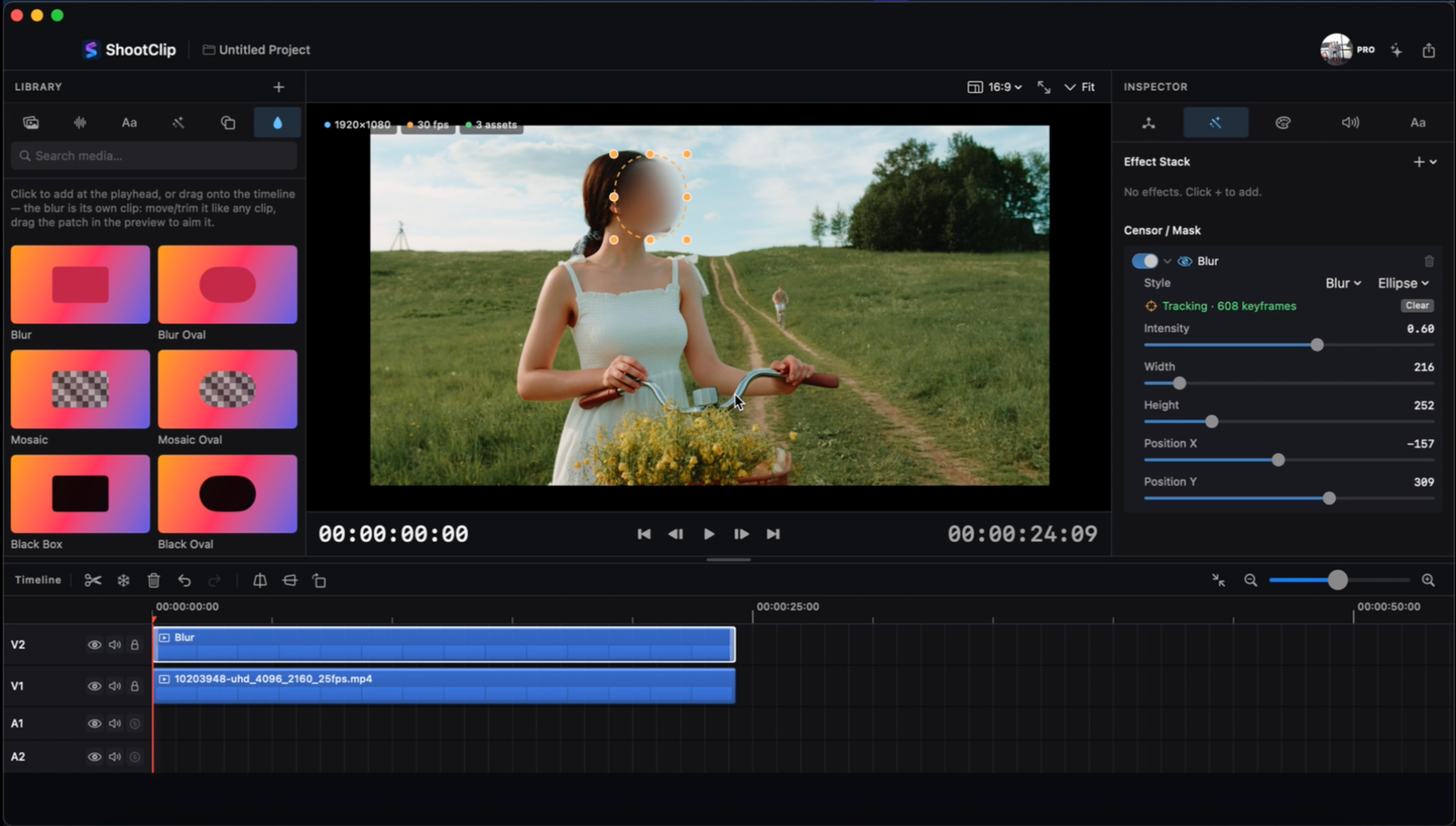
A censor that follows the subject.
Draw a blur over a face or a license plate once — the AI tracker locks on and follows it frame by frame. Gaussian, mosaic, or black box, it stays glued to the subject however the shot moves.
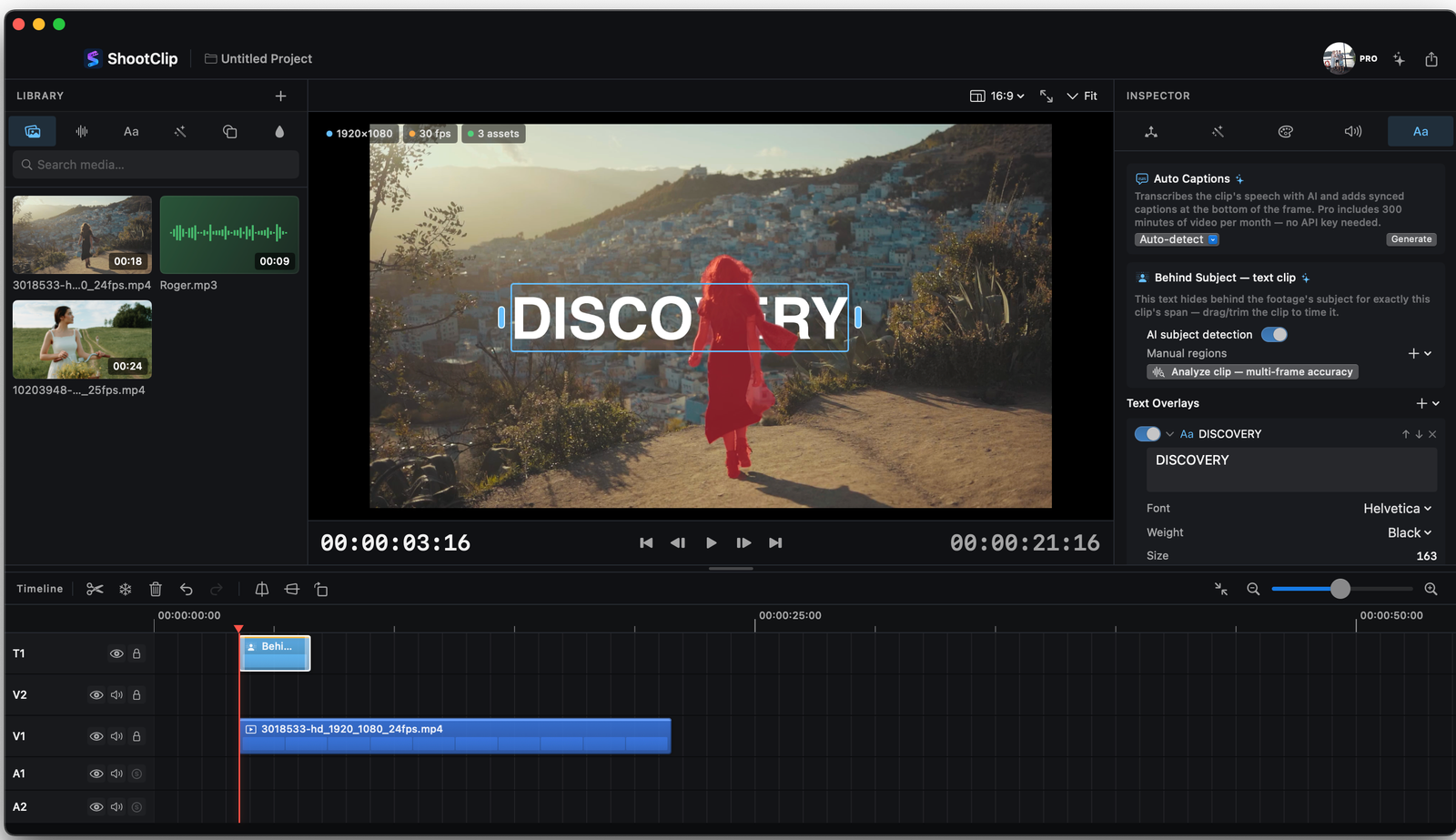
Titles that live inside the scene.
ShootClip segments the person or object on every frame, so your text slides behind them automatically — the cinematic layered look with zero manual masking or rotoscoping.
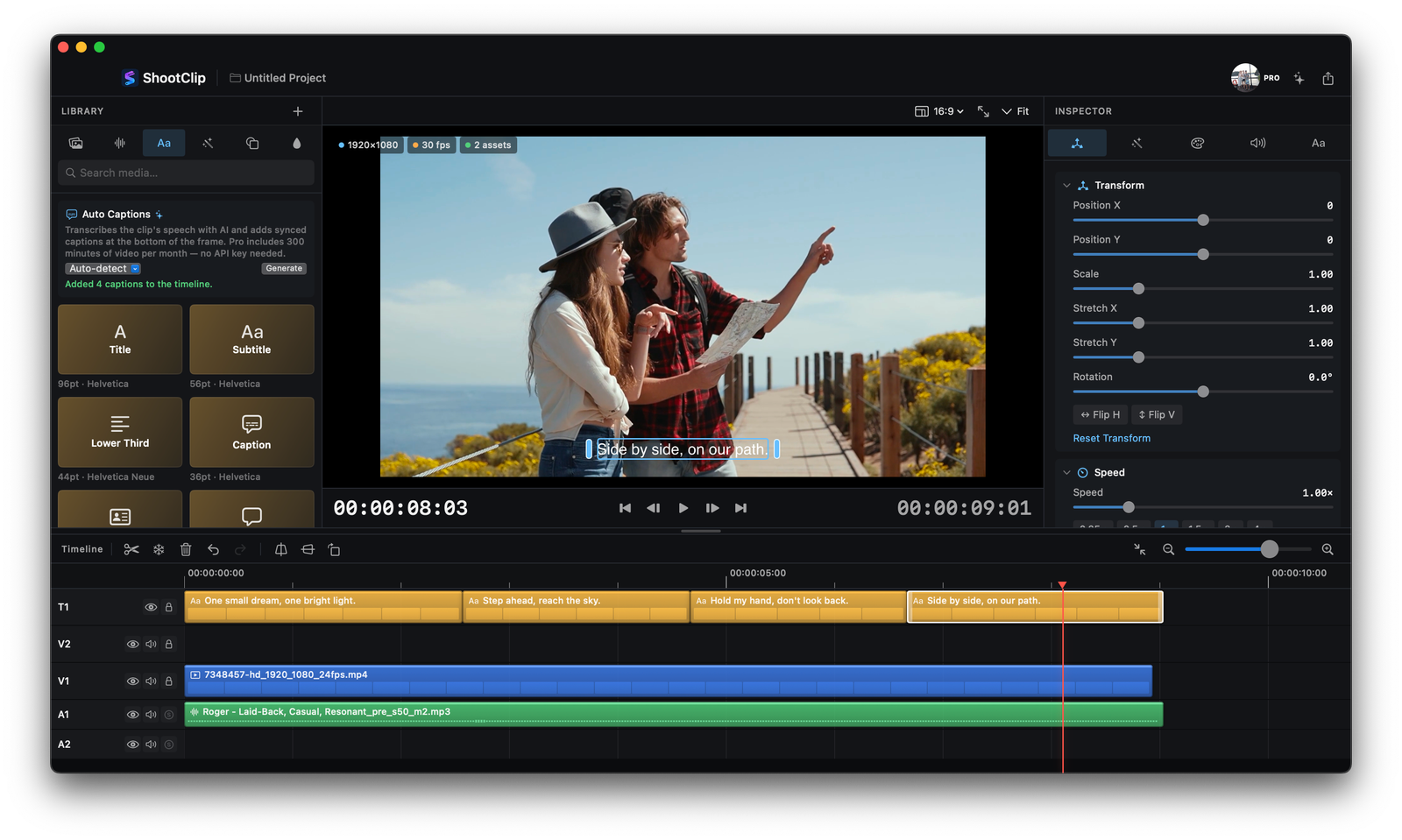
Captions that write themselves.
One click turns speech into styled, frame-accurate captions — AI transcription built in, no API key needed. Pro includes 300 minutes of video every month.
MODEL CONTEXT PROTOCOL · FREE
Your AI assistant is now an editor.
Every copy of ShootClip ships with a built-in MCP server — free for all accounts. Connect Claude or any MCP client and it can read your timeline, cut clips, apply grades, and export — with every action reviewable and undoable.
PRICING
Free to edit, AI included. Pro to go further.
Free
Forever
ShootClip Pro
or $19/year — save 77%